

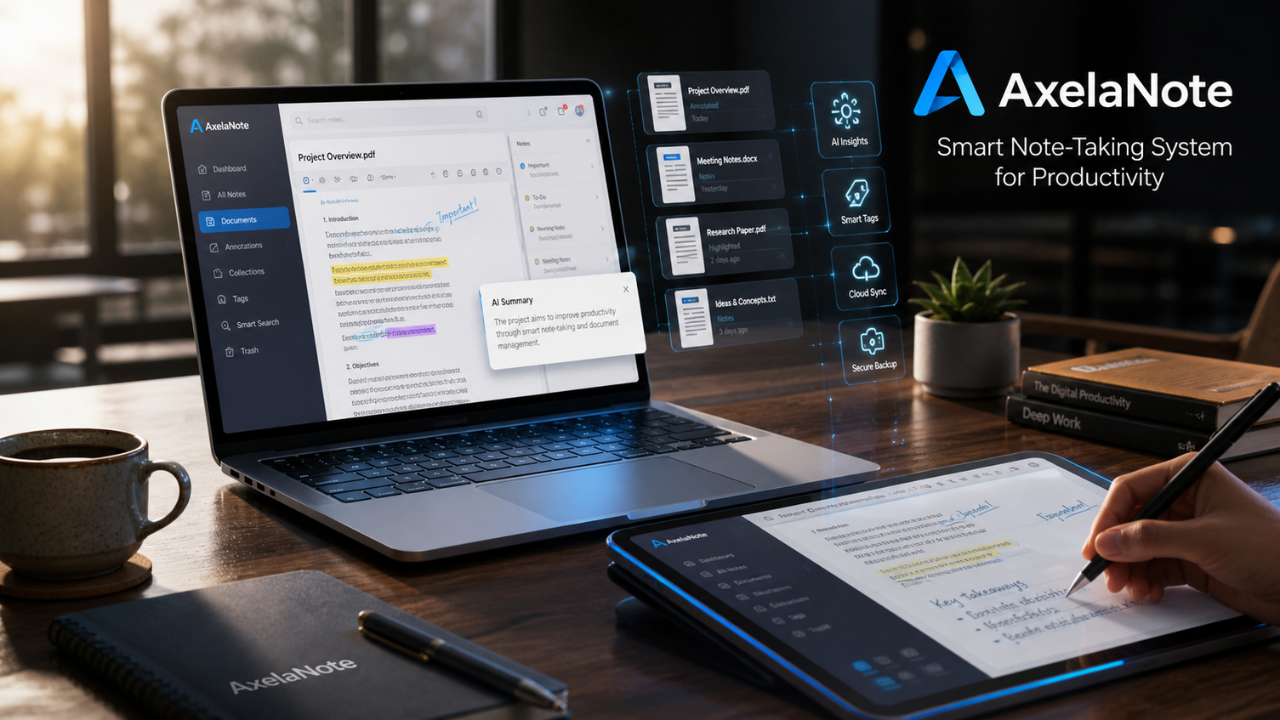
In today’s digital work environment, managing information efficiently is no longer optional it is essential. Students, professionals, and organizations deal with massive volumes of documents, notes, and data every day. Without a proper system, this information quickly becomes scattered, difficult to retrieve, and time-consuming to manage.
This is where AxelaNote emerges as a modern solution for structured note-taking and intelligent document management.
Unlike traditional note apps, AxelaNote is designed to work directly with documents especially PDFs while keeping the original files unchanged. It introduces a smarter way of working with information through layered annotation, structured organization, and workflow-friendly design.
The Real Problem with Traditional Note-Taking Systems
Before understanding AxelaNote, it is important to see why traditional methods fail in modern workflows.
1. Fragmented Information Storage
Most users store information across multiple platforms:
- Notes in one app
- PDFs in folders
- Meeting summaries in emails
- Research files in cloud drives
This fragmentation leads to lost context and wasted time.
2. Poor Document Handling
Traditional PDF tools like Adobe Acrobat or basic readers allow editing, but they often:
- Modify original files
- Create version confusion
- Lack structured annotation layers
3. Collaboration Conflicts
In team environments, documents are often shared through email or messaging apps, leading to:
- Multiple file versions
- Conflicting edits
- Lack of centralized feedback
4. Inefficient Review Process
Studies in digital workplace efficiency suggest that professionals spend up to 20–30% of their time searching for or reorganizing documents instead of working on them. This highlights the need for structured tools like AxelaNote.
What is AxelaNote?
AxelaNote is a modern document annotation and knowledge management system designed to improve how users interact with digital files.
Instead of editing a document directly, AxelaNote places a virtual overlay on top of the file. This allows users to:
- Write notes
- Highlight content
- Add comments
- Draw diagrams
All without changing the original document.
This non-destructive approach makes AxelaNote especially useful in professional environments where document integrity is critical.
In simple terms, AxelaNote turns any document into an interactive workspace.
How AxelaNote Works
The core technology behind AxelaNote is its overlay-based annotation system.
When a file is opened:
- The original document is loaded
- A transparent annotation layer is created
- User interactions (notes, highlights, drawings) are stored on this layer
- The original file remains untouched
This structure ensures:
- Data safety
- Version consistency
- Flexible editing control
Because of this design, AxelaNote is widely used in document-heavy industries.
Key Features of AxelaNote
1. Non-Destructive Annotation System
One of the strongest features of AxelaNote is its ability to annotate without modifying original files. This ensures document integrity at all times.
2. Overlay Layer Technology
Unlike traditional editors, AxelaNote uses a multi-layer system where notes exist independently above the document.
3. PDF Compatibility (Including Restricted Files)
AxelaNote works with standard and restricted PDFs, allowing users to interact even when editing is disabled in other tools.
4. Stylus and Handwriting Optimization
The system is optimized for natural handwriting, making it ideal for:
- Tablets
- Surface devices
- Wacom pens
5. Layer Management System
Users can:
- Create multiple annotation layers
- Color-code notes
- Hide or show specific layers
This improves organization in complex projects.
6. Data Export (CSV Format)
For research and analysis workflows, AxelaNote allows structured export of annotation data into spreadsheets.
System Requirements
- OS: Windows 10 / 11
- Processor: Intel Atom x7-Z8700 minimum (i5 recommended)
- RAM: 4GB minimum (8GB recommended)
- Display: 1280 × 1024 or higher
- Software: PDF Reader (Acrobat DC recommended)
- Internet: Required for activation
These requirements ensure smooth performance across professional environments.
AxelaNote in Real-World Use Cases
1. Engineering and Construction
Engineers use AxelaNote to annotate blueprints without altering original designs. This ensures accuracy and traceability.
2. Legal Industry
Lawyers rely on AxelaNote for confidential case notes while keeping official documents clean and unchanged.
3. Academic Research
Researchers use AxelaNote to:
- Highlight journal papers
- Add references
- Connect ideas across studies
4. Corporate Teams
Teams use AxelaNote to centralize feedback, avoiding multiple document versions.
5. Education Sector
Students use AxelaNote for:
- Lecture notes
- PDF textbooks
- Exam preparation
AxelaNote vs Traditional Tools
| Feature | AxelaNote | Traditional Tools (Notion, Evernote, OneNote, Adobe Acrobat) |
|---|---|---|
| PDF Annotation | Full overlay system | Limited or destructive editing |
| File Integrity | Original file untouched | Often modified or duplicated |
| Layer System | Multiple annotation layers | No true layering system |
| Stylus Support | Highly optimized | Limited |
| Collaboration | Layer-based structured sharing | Mixed version systems |
| Data Export | CSV structured export | Limited |
This comparison shows that AxelaNote is designed specifically for document-centric workflows rather than general note-taking.
AxelaNote vs Competitors
AxelaNote vs Notion
Notion focuses on databases and workspace management, while AxelaNote is document-first and annotation-driven.
AxelaNote vs Evernote
Evernote is good for general notes, but AxelaNote is more powerful for PDF-based workflows.
AxelaNote vs OneNote
OneNote supports freeform notes, but lacks structured overlay annotation like AxelaNote.
AxelaNote vs Adobe Acrobat
Adobe Acrobat edits PDFs directly, while AxelaNote preserves original integrity through layering.
Performance Impact and Efficiency
Digital workflow studies in document-heavy environments show that structured annotation systems can reduce document review time by up to 20–30%, depending on workflow complexity.
While these results vary across industries, systems like AxelaNote are designed to improve:
- Review speed
- Collaboration clarity
- Information retrieval efficiency
This makes AxelaNote especially valuable in organizations handling large-scale documentation.
Pricing Overview
| Plan | Price | Best For |
|---|---|---|
| User License | ~$25.50/year | Individuals |
| Device License | ~$35.37/year | Shared environments |
A 30-day free trial allows users to evaluate AxelaNote before committing.
Pros and Cons of AxelaNote
Advantages
- Clean, structured annotation system
- Strong document integrity protection
- Multi-layer workflow support
- Works with restricted PDFs
- Efficient for professional environments
Limitations
- Less flexible than full database tools
- Limited advanced automation features
- Requires learning for first-time users
Why AxelaNote Matters Today
Modern work is no longer just about creating documents it is about managing information efficiently.
AxelaNote introduces a shift from traditional editing to structured interaction. Instead of modifying files, users build layers of knowledge over them.
This makes AxelaNote particularly relevant in:
- Remote work environments
- Academic research systems
- Engineering documentation
- Legal review processes
Conclusion
AxelaNote is not just another note-taking application it is a structured document interaction system designed for modern productivity needs.
By combining:
- Non-destructive annotation
- Layer-based organization
- Cross-document workflows
- Professional-grade document handling
AxelaNote provides a powerful alternative to traditional note apps and PDF editors.
For users who deal with heavy documentation and require accuracy, structure, and efficiency, AxelaNote delivers a practical and modern solution.
Frequently Asked Questions about AxelaNote
What is AxelaNote used for?
AxelaNote is used for document annotation and structured note management. It allows users to add notes, highlights, and comments on PDFs without changing the original file, making it useful for students, professionals, and teams working with digital documents.
Is AxelaNote different from traditional note-taking apps?
Yes, AxelaNote is different because it focuses on document-based annotation rather than just text notes. Unlike apps such as Notion or Evernote, it works directly on PDFs using an overlay system while keeping the original file unchanged.
Can AxelaNote open and edit restricted PDFs?
AxelaNote is designed to work with both standard and restricted PDFs by adding an annotation layer on top of the document. However, it does not modify or bypass the original file’s security settings it only adds external notes and markings.
Who should use AxelaNote?
AxelaNote is suitable for students, researchers, engineers, lawyers, and business professionals who regularly work with documents. It is especially useful for users who need organized annotation, structured review processes, and reliable document management.
Does AxelaNote improve productivity?
Yes, AxelaNote improves productivity by keeping notes organized directly with documents, reducing time spent searching for information. Its layered annotation system helps users manage large volumes of files more efficiently and streamlines review and collaboration workflows.
