

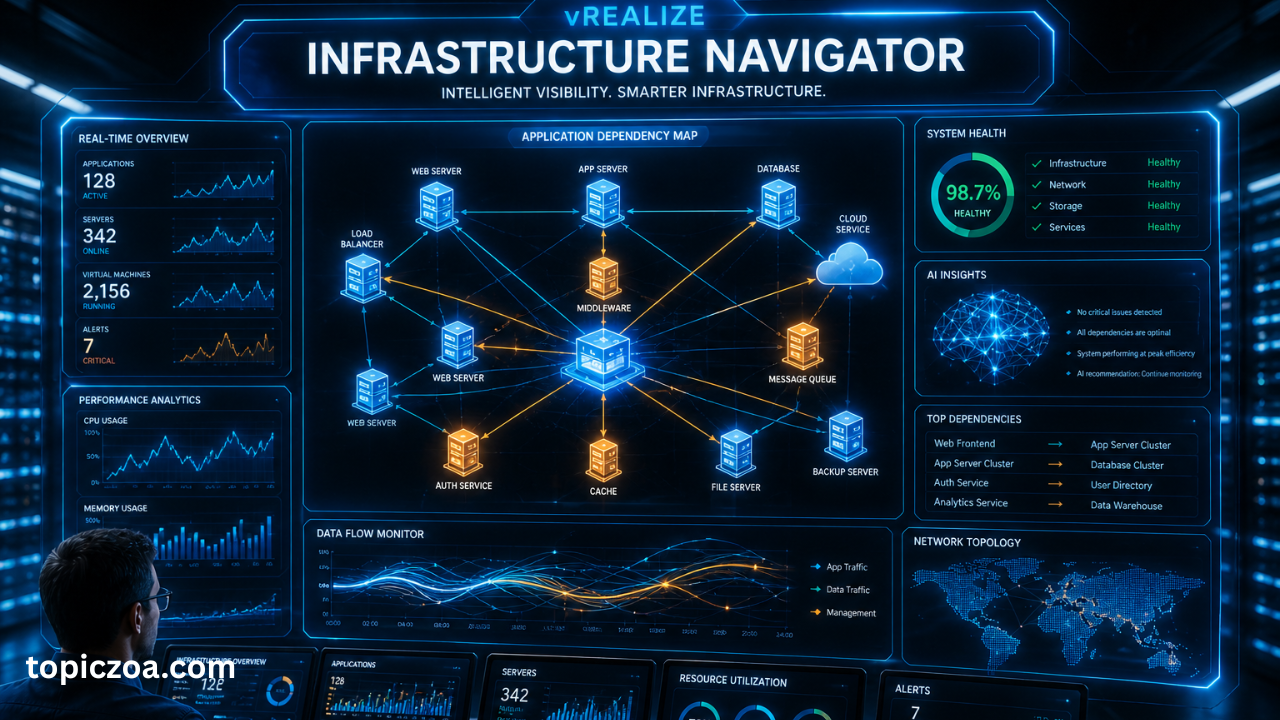
In modern IT environments, understanding how applications interact inside virtual machines is critical for performance, security, and migration planning. VMware has introduced several tools over the years to improve VMware infrastructure visibility, and one of the most important legacy tools in this category is vRealize Infrastructure Navigator.
The vRealize Infrastructure Navigator was designed to automatically discover applications running inside virtual machines and map their dependencies. This helped IT teams visualize how systems connect within vSphere environments without manual documentation.
Today, even though it is no longer actively developed, understanding vRealize Infrastructure Navigator is still valuable for IT professionals working with older VMware environments or transitioning to modern tools like VMware Aria.
What is vRealize Infrastructure Navigator?
The vRealize Infrastructure Navigator is a VMware application discovery and dependency mapping tool used in virtualized environments.
It was part of the VMware vRealize Suite and integrated with vCenter Server to provide visibility into applications running inside virtual machines.
In simple terms, vRealize Infrastructure Navigator helps administrators understand:
- What applications are running on each VM
- How those applications communicate with each other
- Which services depend on others
This made application dependency mapping much easier in enterprise IT systems.
How vRealize Infrastructure Navigator Works
The working model of vRealize Infrastructure Navigator is based on automated discovery.
Discovery Process
- The tool scans virtual machines inside vSphere tools environment
- It detects installed applications and services
- It analyzes network communication between systems
- It builds a dependency map
Key Technical Behavior
- Agentless monitoring approach
- Uses port and service detection
- Integrates directly with vCenter Server
- Displays relationships in graphical format
This process gave IT teams full IT infrastructure visibility without manual mapping.
Key Features of vRealize Infrastructure Navigator
The vRealize Infrastructure Navigator offered several powerful features for enterprise IT environments:
Application Discovery
- Automatically detects applications running on VMs
- Identifies web servers, databases, and middleware
Application Dependency Mapping
- Visualizes communication between systems
- Shows relationships between servers and services
Change Impact Analysis
- Helps predict impact of VM changes
- Useful for maintenance and migration planning
Integration with VMware Ecosystem
- Works with vCenter Server
- Part of VMware vRealize suite
Benefits of vRealize Infrastructure Navigator
Using vRealize Infrastructure Navigator provided major advantages for IT teams:
- Reduced manual documentation effort
- Improved infrastructure transparency
- Faster troubleshooting of system issues
- Better migration planning for virtual machines
- Enhanced network dependency analysis
These benefits made it an important tool in traditional VMware environments.
Use Cases in Real IT Environments
The vRealize Infrastructure Navigator was widely used in enterprise data centers.
Data Center Management
IT administrators used it to map complex virtual infrastructures.
Cloud Migration Planning
It helped identify dependencies before moving workloads.
Troubleshooting
Engineers could quickly locate root causes of application failures.
Security Analysis
It helped detect unexpected communication between systems.
Architecture and VMware Integration
The architecture of vRealize Infrastructure Navigator was simple but effective:
- Installed as a virtual appliance (OVA)
- Connected to vCenter Server
- Integrated with vRealize Suite
- Worked inside vSphere infrastructure
This tight integration made it a natural extension of VMware’s virtualization platform.
Limitations and Why It Was Discontinued
Despite its usefulness, vRealize Infrastructure Navigator had limitations:
- Limited to VMware environments only
- No multi-cloud support
- Basic analytics compared to modern tools
- Lack of AI-driven insights
- Dependency on older vSphere versions
Because of these limitations, VMware eventually phased it out and shifted toward more advanced solutions.
Modern Alternatives to vRealize Infrastructure Navigator
Today, VMware has replaced vRealize Infrastructure Navigator with more powerful tools under the VMware Aria brand.
VMware Aria Operations for Networks
- Advanced application dependency mapping
- AI-driven network analysis
- Multi-cloud visibility
VMware Aria Operations
- Performance monitoring
- Capacity planning
- Infrastructure analytics
Comparison Summary
| Feature | vRealize Infrastructure Navigator | VMware Aria Tools |
|---|---|---|
| Cloud Support | ❌ No | ✅ Yes |
| AI Analytics | ❌ No | ✅ Yes |
| Multi-cloud | ❌ No | ✅ Yes |
| Dependency Mapping | Basic | Advanced |
| Modern UI | Limited | Advanced dashboard |
Industry Relevance
Even though vRealize Infrastructure Navigator is deprecated, it remains important in:
- Legacy VMware environments
- Enterprise migration projects
- IT infrastructure documentation studies
- Understanding evolution of VMware tools
It also serves as a foundation for modern application dependency mapping systems used today.
Key Takeaways
- vRealize Infrastructure Navigator was a VMware tool for application discovery and dependency mapping
- It provided deep visibility into virtual machine relationships
- It was part of the VMware vRealize Suite
- It improved IT infrastructure visibility and troubleshooting
- It has now been replaced by VMware Aria tools
- Modern tools offer AI, cloud, and advanced analytics capabilities
FAQ vRealize Infrastructure Navigator
What is vRealize Infrastructure Navigator used for?
It was used to automatically detect applications and map dependencies inside VMware virtual machines.
Is vRealize Infrastructure Navigator still available?
No, it is discontinued and no longer supported by VMware.
What replaced vRealize Infrastructure Navigator?
It has been replaced by VMware Aria Operations for Networks and other Aria tools.
Why was it important in VMware environments?
Because it provided clear visibility into application relationships without manual effort.
Does it support cloud environments?
No, it was designed only for on-premises VMware environments.
Final Thoughts
The vRealize Infrastructure Navigator played a key role in the evolution of VMware’s infrastructure visibility tools. It introduced the concept of automated application dependency mapping inside virtual environments, which later became a foundation for modern cloud-native observability platforms.
Today, while enterprises have moved toward VMware Aria solutions, the legacy of vRealize Infrastructure Navigator remains important for understanding how IT infrastructure visibility has evolved over time.
